LaTeX/Presentations

Beamer is a LaTeX class for creating slides for presentations. The name is taken from the German word Beamer, a pseudo-anglicism for video projector.
It has special syntax for defining 'slides' known in Beamer as 'frames'. Slides can be built up on-screen in stages as if by revealing text that was previously hidden or covered. This is handled with PDF output by creating successive pages that preserve the layout but add new elements, so that advancing to the next page in the PDF file appears to add something to the displayed page, when in fact it has redrawn the page.
Beamer provides the ability to make 'handouts', that is a version of the output suitable for printing, without the dynamic features, so that the printed version of a slide shows the final version that will appear during the presentation. For actually putting more than one frame on the paper, pgfpages package is to be used.
An "article" version is also available, rendered on standard sized paper (like A4 or letter), with frame titles used as paragraph titles, no special slide layout/colors, keeping the sectioning. This version is suitable for lecture notes or for having a single source file for an article and the slides for the talk about this article.
Sommaire
Structure
First example
Let's start with a simple 3 slides presentation including one for the title.
\documentclass{beamer}

\title{Demography}
\author{I. Ned}\institute{Institut National d'Etudes D\'emographiques}


\begin{document}

\begin{frame}
\titlepage
\end{frame}

\begin{frame}
Text located on the first content slide
\end{frame}

\begin{frame}
Text located in the second content slide
\end{frame}

\end{document}
First example: step by step
Like any other LaTeX structured documents, the TeX code of a Beamer presentation starts with the Document Class Declaration:\documentclass{beamer}
and it is enclosed between:
\begin{document}
....
\end{document}
The only new thing only new thing with Beamer is that each slide is enclosed between the two commands which identify the beginning and end of the slide:
\begin{frame}
....
\end{frame}
You can add some package just after the Document Class Declaration. Once you know TeX general commands, it is very easy to make a Beamer presentation. So if you read carefully the previous sections of this wiki, you just need to adapt this Beamer example.
Beamer is very flexible and allow you to do almost everything (except coffee...). In this section, we only present very general commands.
Title
See Structure
\documentclass{beamer}  % For a Beamer presentation
\usepackage[utf8x]{inputenc}

\begin{document}
% Article information
\title[Complete-simple distributive lattices]
{A construction of complete-simple\\ distributive lattices}

% Author information
\author{
  George~A. Menuhin
   \thanks{  \texttt{gmen@ccw.uwinnebago.edu}
     Computer Science Department,
     University of Winnebago, Winnebago, MN 53714.
    The research was supported by the NSF under grant number 23466.}
and
   Ernest~T. Moynahan
    \thanks{\texttt{h1175moy\%ella@relay.eu.net}
       Mathematical Research Institute
       of the Hungarian Academy of Sciences,
       Budapest, P.O.B. 127, H-1364,
       Hungary. The research  was supported by the Hungarian National Foundation
       for Scientific Research, under Grant No. 9901.}
}
\date{\today}
\maketitle
\end{document}
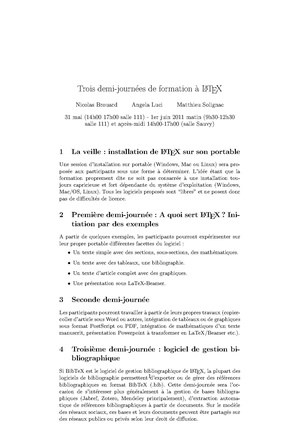
You may use a Powerpoint Fichier:Powerp.ppt
External links
- Beamer home page
- Beamer SourceForge project page (no longer maintained)
- beamerposter - a beamer extension for scientific conference posters in DIN-A0 size or bigger
- Till Tantau, Joseph Wright, Vedran Miletić (2010) User's guide - from www.ctan.org
- Beamer Theme Matrix
- wiki2beamer: Tool to create Beamer presentations from a wiki-like syntax
- Dohmen, Klaus (2010) Dual Screen Presentations with the LaTeX Beamer Class under X - from The PracTeX Journal
- Beamer2Thesis - a beamer extension for presenting a thesis
Tutorials
- Introduction to Beamer - How to make a presentation
- A tutorial with examples on the usage of Beamer Latex class
- Another tutorial
- Beamer by Example from PracTEX Journal, many examples of both TeX source and formatted output
- Introduction to beamer on wikibooks
- A presentation using the LaTeX Beamer class (short guide - samples)

